How to Create a Commercial Voiceover With AI
Learn how to create a commercial voiceover with AI, from writing a compelling ad script and choosing a voice to generating, editing, and reviewing your final audio.
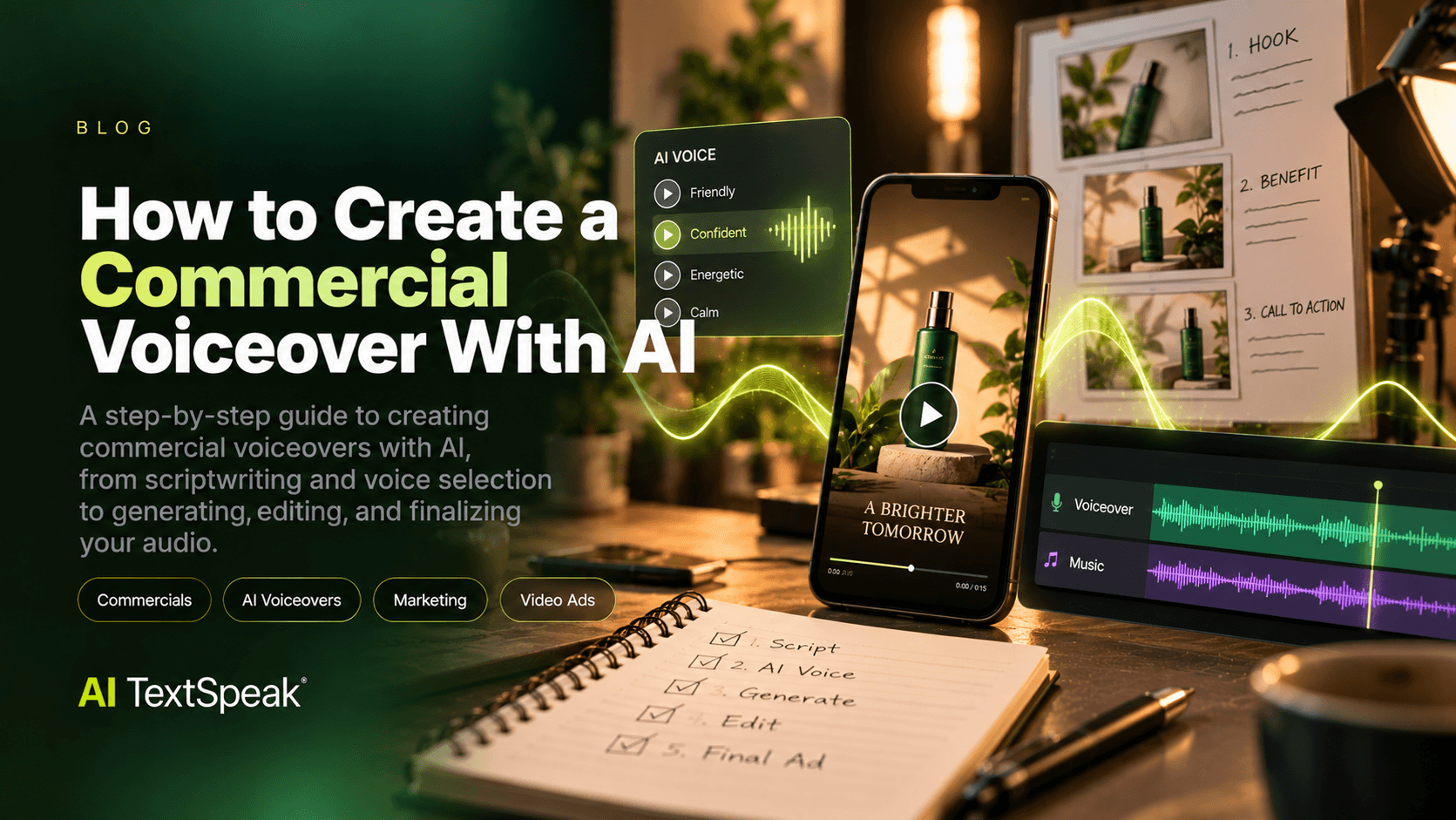
A compelling commercial needs more than great visuals. The voice behind an advertisement helps communicate the brand's personality, capture attention, and guide viewers toward the next step.
AI voiceovers for commercials give marketers, agencies, and content creators another way to produce spoken audio for video ads, social media campaigns, product promotions, and other advertising formats. Instead of organizing a traditional recording session for every variation, teams can use text-to-speech technology to generate narration and test different creative approaches.
But an effective AI voiceover requires more than converting a script into audio. You need the right message, a suitable voice, clear pacing, and a final review that ensures the narration supports the campaign.
This guide explains how to create AI voiceovers for commercials, how to choose a voice, what to include in your script, and how to prepare audio for advertising.
What Is an AI Voiceover for Commercials?
An AI voiceover for commercials is spoken audio generated from written text using artificial intelligence and text-to-speech (TTS) technology. The resulting narration can be used as part of an advertisement, depending on the tool's capabilities and the project's requirements.
AI-generated commercial voiceovers may be useful for:
- Video advertisements: Narration for product demonstrations, promotional videos, and brand campaigns.
- Social media ads: Voiceovers for short-form creative on platforms such as TikTok, Instagram, and YouTube.
- Product explainers: Spoken explanations of product features, benefits, and use cases.
- Retail promotions: Audio for seasonal campaigns, special offers, and product announcements.
- Digital campaigns: Narration for landing-page videos and other online marketing assets.
- Creative testing: Comparing different scripts, tones, or voice styles before committing to a final advertisement.
The best use case depends on the campaign, audience, available voice options, and the licensing terms of the tool you choose.
Why Use AI Voiceovers for Commercials?
Traditional voiceover production can involve talent selection, scheduling, recording, direction, editing, and revisions. AI narration offers an alternative workflow that may make it easier to generate spoken audio and explore creative variations.
1. Produce and revise narration more flexibly
When a script changes, AI-generated narration may allow you to regenerate the affected passage rather than schedule an entirely new recording session. The exact process depends on the tool and the production setup.
2. Test different creative directions
A campaign might need a friendly introduction, a confident product pitch, or a more restrained brand message. Comparing suitable voices and delivery styles can help teams decide which direction fits the advertisement.
3. Support multiple campaign variations
Marketing teams often create different versions of an ad for different audiences, offers, or placements. AI narration can help explore these variations, provided each version is reviewed and complies with the campaign's requirements.
4. Simplify early-stage production
For concept testing, a generated voiceover can help a team evaluate the rhythm and clarity of a script before investing in a more elaborate production.
AI is not automatically the best option for every commercial. Campaigns that depend on distinctive acting, complex emotional delivery, or a recognizable spokesperson may benefit from a professional human voice actor.
How to Create an AI Voiceover for a Commercial
Step 1: Define the Campaign Goal
Before choosing a voice, determine what the advertisement needs to accomplish. The voiceover should support a clear marketing objective rather than simply fill the audio track.
Ask yourself:
- What product, service, or offer are we promoting?
- Who is the intended audience?
- What is the single most important message?
- What should viewers do after hearing the ad?
- Where will the commercial appear?
A short social media ad designed to generate clicks may need a direct opening and a clear call to action. A brand-awareness commercial may prioritize storytelling, atmosphere, and brand recognition.
Step 2: Write a Script for Spoken Delivery
A commercial script must be easy to understand when heard. Long sentences, unnecessary jargon, and vague claims can weaken an advertisement even when the writing looks polished on the page.
A practical structure for many short commercials is:
- Hook: Capture attention with a relevant question, problem, or benefit.
- Main message: Explain what the product or service offers.
- Supporting detail: Give the audience a reason to care.
- Call to action: Tell the audience what to do next.
For example, a fictional productivity app could use this script:
"Too many tasks and not enough time? Meet FocusFlow, the simple way to organize your day and keep your priorities in sight. Make room for the work that matters. Try FocusFlow today."
This example presents a problem, introduces the product, communicates a benefit, and ends with a clear action. The claims are illustrative; real advertisements should use only claims the advertiser can substantiate.
Step 3: Match the Voice to Your Brand
The voice should sound appropriate for the product, audience, and creative concept. A voice that works for a luxury product may not fit a playful consumer campaign.
Consider these general directions:
- Friendly and conversational: Suitable for approachable brands, everyday products, and social media content.
- Confident and authoritative: Useful for business services, product explainers, and professional messaging.
- Energetic and upbeat: May fit event promotions, entertainment, and selected retail campaigns.
- Calm and reassuring: Can support wellness, educational, and service-oriented messages when appropriate.
- Premium and understated: May suit brands that communicate through simplicity and sophistication.
These are creative guidelines, not strict categories. Listen to available voice samples with your actual script before deciding. Pay attention to pronunciation, clarity, pacing, and whether the delivery fits the brand's identity.
Step 4: Generate a Short Sample First
Before producing the complete commercial, test a representative section of the script. A short sample can reveal whether the voice handles brand names, product terminology, numbers, and punctuation correctly.
Review the sample for:
- Clear pronunciation of product and company names.
- Natural pauses between key ideas.
- Appropriate emphasis on the main benefit.
- A comfortable pace for the intended placement.
- A tone that supports the campaign's message.
If something sounds unnatural, revise the text or adjust the available voice settings, then generate and review another sample. Testing early can reduce avoidable revisions later.
Step 5: Generate and Review the Full Voiceover
Once the script and voice direction are approved, generate the narration using your selected text-to-speech tool. Follow its instructions for supported text length, voice settings, and available output options.
Listen to the complete result rather than relying only on a preview. Check for mispronounced words, awkward pauses, incorrect emphasis, repeated content, and inconsistencies between sections.
If the commercial contains several scenes, review how each line fits the corresponding visual. A sentence that sounds good on its own may be too long for a particular shot or transition.
Step 6: Synchronize the Voiceover With the Creative
A voiceover should work with the visuals, music, sound effects, and on-screen text. During editing, check whether the narration begins and ends at the right moments and whether important information remains easy to understand.
- Leave enough space for viewers to process key messages.
- Avoid competing dialogue, sound effects, or music that obscure the narration.
- Match the voiceover's pace to the sequence of visuals.
- Make sure the call to action is clear and receives sufficient attention.
- Check the final mix on more than one playback device when possible.
The editing and mixing workflow depends on the software and production tools you use. Do not assume that a text-to-speech tool automatically handles the complete commercial production process.
Step 7: Check Licensing and Advertising Requirements
Before publishing a commercial, confirm that your chosen voice and tool can be used for your intended advertising purpose. Review the current plan terms, commercial-use license, and any restrictions that apply to the generated audio.
Also verify the requirements of the advertising platform and the relevant market. Product claims, testimonials, endorsements, disclosures, and other advertising elements may be subject to applicable rules. If a voice imitates an identifiable person or uses a licensed voice, obtain the necessary permissions.
Keep records of the approved script, relevant permissions, and the final audio version where appropriate. This is particularly important for campaigns that will be reused across multiple channels.
How Long Should a Commercial Voiceover Be?
The ideal length depends on the format, the amount of information, the pace of delivery, and the purpose of the advertisement. A short ad usually needs one clear message rather than several competing selling points.
As a rough planning estimate, conversational narration often falls around 130–160 words per minute. Actual delivery can be slower or faster depending on the voice, pauses, language, and creative direction.
Use this estimate as a starting point, not a strict rule. Generate or record a sample and time it against the actual visuals before finalizing the script.
AI Voiceovers vs. Human Voice Actors for Commercials
AI narration and human voice acting serve different creative needs. Neither is universally superior; the right choice depends on what the commercial requires.
| Consideration | AI Voiceover | Human Voice Actor |
|---|---|---|
| Production workflow | Generates speech from text using a supported tool. | Typically involves performance, recording, and editing. |
| Creative interpretation | Depends on the voice model and available controls. | Can provide nuanced acting and direction-specific performances. |
| Revisions | May allow individual passages to be regenerated. | May require pickups or additional recording sessions. |
| Brand requirements | Depends on available voices and licensing. | May be preferable when a specific performer or recognizable voice is required. |
| Best fit | Projects that benefit from flexible generation and suitable synthetic delivery. | Projects that depend on a distinctive performance or complex emotional expression. |
Some teams use AI narration during concept development and testing, then commission a human performance for the final campaign. Others may use AI-generated audio in finished advertisements when the voice, license, and platform requirements support that use.
Common Mistakes to Avoid
Writing for reading instead of listening
Complex sentences and excessive detail can be difficult to follow in audio. Write concise lines and read the script aloud before generating narration.
Choosing a voice based only on how it sounds in a demo
A voice may sound appealing in a short sample but struggle with your product name, sentence structure, or desired tone. Test it with the actual script.
Overloading the commercial with messages
Trying to communicate every feature can dilute the main benefit. Focus on the most relevant message and support it with one clear call to action.
Ignoring the final audio mix
Even well-generated narration can become difficult to understand if music or sound effects are too loud. Review the complete advertisement, not just the isolated voiceover.
Assuming commercial rights are automatic
Check the current license terms for the tool and voice you use. Make sure the permissions cover the intended advertising use, distribution channels, and any applicable restrictions.
AI Voiceover Best Practices for Marketing Teams
- Start with one clear objective: Decide what the audience should remember or do.
- Keep spoken language natural: Use short sentences and familiar words where appropriate.
- Test voice and script together: Evaluate the actual combination rather than choosing each in isolation.
- Build a review process: Have someone check pronunciation, timing, factual claims, and brand consistency.
- Adapt each version to its placement: A script for a short social ad may need a different rhythm from a longer product explainer.
- Maintain approved versions: Keep track of scripts, revisions, and final audio files to reduce confusion during production.
- Verify permissions: Review licensing and advertising requirements before release.
Create Your Next Commercial Voiceover With AI TextSpeak
A strong commercial voiceover combines a focused message, an appropriate voice, clear delivery, and careful production. AI text-to-speech can help marketing teams explore narration options and create spoken audio for suitable advertising projects.
AI TextSpeak lets you explore AI voices by testing written text as generated speech. Start with a short section of your commercial script, listen to the result, and evaluate whether the available voice style fits your campaign.
Explore AI TextSpeak commercial voiceovers and find a voice direction for your next campaign.
Frequently Asked Questions
Can I use AI voiceovers in commercial advertisements?
Potentially, yes. You must confirm that the tool's current license permits your intended commercial use and that the advertising platform and applicable rules allow the planned content.
How do I choose the best AI voice for an advertisement?
Start with your audience and brand personality. Compare available voices using the same script and evaluate pronunciation, tone, pacing, clarity, and suitability for the campaign.
Are AI voiceovers suitable for social media ads?
They can be suitable for many social media formats when the voice fits the creative, the narration is clear, and the tool's license and platform rules permit the use.
Can I change the script after generating the voiceover?
That depends on your tool and workflow. Many text-to-speech workflows allow revised text to be generated again, but you should review the updated passage and its timing before replacing the approved version.
Do AI voiceovers replace professional voice actors?
Not in every situation. AI can support flexible narration workflows, while human voice actors may offer performance, interpretation, and creative nuance that some campaigns require.
What should I check before publishing an AI voiceover?
Review pronunciation, timing, audio clarity, factual claims, licensing, permissions, and the requirements of the platforms where the commercial will appear.
A strong commercial voiceover can turn a simple advertisement into a message people understand and remember. Whether you are creating a social media ad, promoting a product, or producing a short brand video, the right narration helps communicate your message and guide viewers toward the next step.
With AI text-to-speech technology, marketers and content creators can generate voiceovers from written scripts, explore different voice styles, and revise narration as their creative ideas evolve.
In this guide, you'll learn how to create a commercial voiceover with AI, including how to write an effective script, choose a suitable voice, generate the narration, and prepare the final audio for your advertisement.
What Is an AI Commercial Voiceover?
An AI commercial voiceover is narration generated from written text using artificial intelligence and text-to-speech (TTS) technology. It can be used in suitable advertising projects, including product videos, promotional content, social media campaigns, and explainers.
Instead of recording every line with a human voice actor, you can use a compatible AI voice tool to turn your script into spoken audio. The result still needs to be reviewed to ensure that pronunciation, pacing, and delivery fit the advertisement.
AI commercial voiceovers may be useful for:
- Product demonstrations and promotional videos.
- Short-form social media advertisements.
- Brand awareness campaigns.
- Explainer videos and product tutorials.
- Testing alternative scripts and creative concepts.
- Adapting suitable marketing content for different audiences.
How to Create a Commercial Voiceover With AI
Step 1: Define Your Advertising Goal
Before writing the script or selecting a voice, decide what the commercial needs to accomplish. A voiceover designed to introduce a new product may sound different from one promoting a limited-time offer or explaining a service.
Start by answering five questions:
- What are you promoting? Identify the product, service, or offer.
- Who is your audience? Consider their needs, interests, and familiarity with the product.
- What is the main benefit? Focus on the message you want viewers to remember.
- Where will the ad appear? The format influences the script's length and delivery.
- What should viewers do next? Decide on a clear call to action.
A focused objective helps prevent the voiceover from becoming a list of unrelated product features. Choose one main message and build the script around it.
Step 2: Write a Script That Sounds Natural
Commercial scripts are written to be heard, not just read. Long sentences, complicated terminology, and vague claims can make an advertisement difficult to follow when narrated.
A simple structure for a short commercial is:
- Hook: Get the audience's attention with a relevant question, need, or benefit.
- Product or service: Introduce what you offer.
- Key benefit: Explain why it matters to the audience.
- Call to action: Tell viewers what to do next.
For example, imagine you are creating an advertisement for a fictional productivity app:
"Your to-do list keeps growing. Meet FocusFlow, the simple way to organize your priorities and plan your day. Spend less time sorting tasks and more time getting things done. Try FocusFlow today."
This example opens with a recognizable problem, introduces the product, communicates a benefit, and ends with a call to action. For a real campaign, ensure that every product claim is accurate and can be substantiated.
Before generating audio, read the script aloud. If a sentence feels awkward when spoken, simplify it. Use punctuation to clarify the intended rhythm and make sure the brand name and product terminology are written consistently.
Step 3: Choose the Right AI Voice
The voice should complement your brand and the message of the commercial. A playful delivery may work for one campaign, while a calm or authoritative tone may be more appropriate for another.
Consider these general voice directions:
- Friendly and conversational: Useful for approachable brands and everyday products.
- Confident and professional: Suitable for many business services and product explainers.
- Energetic and upbeat: May fit entertainment, events, and selected promotional campaigns.
- Calm and reassuring: Can support service-oriented or educational messages.
- Warm and premium: May suit brands that rely on an understated, polished presentation.
These are creative starting points, not strict rules. The best voice depends on the audience, the script, and the overall advertising concept.
When comparing available AI voices, listen for:
- Clear pronunciation, especially for brand and product names.
- A natural pace that gives listeners time to understand the message.
- A tone that matches your brand personality.
- Consistent delivery throughout the script.
- Suitability for the language and accent of your intended audience.
Use the same script to test different voices. This makes it easier to compare the results without changing the wording between samples.
Step 4: Generate a Short Sample First
Before generating the entire commercial, test a representative section of your script. A short sample helps you identify issues before spending time refining the complete advertisement.
Pay attention to how the AI voice handles:
- Brand names and unfamiliar words.
- Questions and exclamations.
- Numbers, abbreviations, and prices.
- Pauses between the main message and the call to action.
- Words that need particular emphasis.
If the delivery sounds unnatural, try adjusting the wording or the settings available in your chosen tool. Sometimes a shorter sentence or a small punctuation change can make the narration easier to follow.
Step 5: Generate the Full Voiceover
Once the script and voice are approved, generate the full narration using your selected text-to-speech tool. Follow the platform's instructions for supported text length, voice settings, and available audio outputs.
For a more reliable workflow:
- Keep an approved copy of the script.
- Use consistent voice settings throughout the commercial.
- Generate separate sections if your tool or editing workflow requires it.
- Review any regenerated passages before replacing the previous version.
- Keep track of the final approved audio file.
Generating speech is only one part of production. You still need to confirm that the complete narration communicates the intended message and fits the advertisement's timing.
Step 6: Edit the Voiceover to Match Your Video
After generating the narration, place it into your audio or video editing workflow. The exact process depends on your editing software and the output supported by your AI voice tool.
Check that:
- The narration starts at the right moment.
- Each line fits the corresponding scene.
- Important product benefits are easy to hear and understand.
- Background music does not overpower the voice.
- Sound effects support the message rather than distract from it.
- The call to action has enough time to register.
Listen to the advertisement from beginning to end with the visuals, music, and other audio elements included. A voiceover that sounds good on its own may need timing adjustments once it is combined with the complete commercial.
Step 7: Review and Approve the Final Audio
Before publishing, conduct a final quality check. AI-generated narration can contain pronunciation errors, awkward pauses, unexpected emphasis, or inconsistencies that are easier to notice during a full review.
Use this checklist:
- Every product and brand name is pronounced correctly.
- The spoken words match the approved script.
- The narration sounds appropriate for the target audience.
- The pacing works with the visuals.
- The voice remains clear over music and sound effects.
- The offer, price, and call to action are accurate.
- The final audio meets the intended placement's technical requirements.
- The relevant commercial-use license and permissions have been checked.
Correct problems before the commercial goes live. A short final review can prevent avoidable mistakes from reaching your audience.
How Long Should a Commercial Voiceover Be?
The appropriate length depends on the advertising format, the amount of information, and the pace of delivery. A short advertisement usually works best when it focuses on one main benefit and a single clear call to action.
As a rough planning estimate, conversational narration often falls around 130–160 words per minute. A slower, more deliberate delivery may require fewer words, while a fast promotional style may fit more. These figures are guidelines, not fixed standards.
Always generate or record a sample and time it against the actual visuals. If the script does not fit, remove unnecessary wording before trying to make the voice speak unnaturally fast.
Common Mistakes to Avoid
Writing an overly complicated script
Too many features, long sentences, and technical language can make the message hard to understand. Prioritize one key benefit and explain it clearly.
Choosing a voice without testing the script
A voice that sounds appealing in a demo may not pronounce your product name correctly or fit your intended tone. Always test a passage from the actual commercial.
Ignoring the audience and platform
A voiceover should suit the people who will hear it and the context in which they will encounter the ad. Consider the viewing environment, format, and expected attention span.
Making the narration compete with the music
Background music should support the commercial without making the message difficult to hear. Review the complete audio mix at a comfortable listening level.
Skipping the final review
Do not assume that generated audio is ready to publish immediately. Check pronunciation, timing, factual accuracy, and the call to action before approving the final version.
Assuming commercial rights are automatic
Review the current terms of your chosen AI voice tool and confirm that the license covers the intended advertising use. Obtain any required permissions for voices, scripts, music, and other creative assets.
AI Voiceover vs. Human Voice Actor: Which Should You Choose?
AI narration can offer a flexible way to generate commercial audio, while a human voice actor can bring performance and creative interpretation to the script. The right choice depends on the campaign's goals and requirements.
| Factor | AI Voiceover | Human Voice Actor |
|---|---|---|
| Production | Generates speech from text through a compatible tool. | Typically involves recording and post-production. |
| Creative expression | Depends on the available voice and controls. | Can provide nuanced acting and directed performance. |
| Revisions | May allow individual passages to be regenerated. | May require additional recording sessions. |
| Best use | Projects that benefit from flexible text-to-speech generation. | Campaigns that require a particular performance or distinctive human delivery. |
Some teams use AI narration for early concepts and creative testing, then commission a human voice actor for the final advertisement. Others may use AI-generated narration in the finished campaign when the voice, licensing, and platform requirements support that choice.
Create Commercial Voiceovers With AI TextSpeak
Creating a commercial voiceover with AI starts with a clear script, a voice that suits your brand, and a careful review of the final audio. A structured process helps you test creative ideas, refine delivery, and prepare narration that supports your campaign.
AI TextSpeak lets you explore text-to-speech voices by testing written text as generated speech. Start with a short section of your commercial script and listen to how the available voice options fit your message.
Explore AI TextSpeak commercial voiceovers and find a voice direction for your next campaign.
Frequently Asked Questions
How do I create a commercial voiceover with AI?
Define your campaign goal, write a concise script, choose a suitable AI voice, generate a short sample, produce the narration, and review the final audio alongside your visuals and music.
Can I use an AI voiceover for social media advertising?
AI voiceovers can be suitable for social media advertisements when the voice fits the creative, the audio is reviewed, and the relevant tool license and platform requirements permit the intended use.
How do I make an AI commercial voiceover sound natural?
Use conversational wording, keep sentences clear, check punctuation, test brand names, and listen for awkward pauses or unnatural emphasis. Adjust the text or available voice settings when necessary.
Can I change the voiceover after generating it?
That depends on the tool and workflow. You may be able to revise the script or settings and regenerate the affected section. Review the updated audio and confirm that it still fits the timing of the commercial.
Can AI voiceovers be used commercially?
That depends on the tool's current license, the selected voice, and the intended use. Review the relevant terms and obtain any permissions required before publishing an advertisement.
Do I still need to edit AI-generated voiceovers?
Often, yes. You may need to review pronunciation, adjust timing, balance the narration with music, and ensure the audio works with the visuals. The amount of editing depends on the quality of the generated result and the requirements of the project.
Final Thoughts
AI commercial voiceovers can give marketers and creators another way to produce narration for advertising. The strongest results come from combining a focused script, a suitable voice, thoughtful editing, and a reliable quality-control process.
Start with a short sample, test the narration against your creative, and verify the relevant licensing and publishing requirements before releasing the campaign.
Try AI TextSpeak for your next commercial voiceover and explore how AI-generated speech can support your advertising workflow.